Discover the free App for SEO & AEO on Webflow
Key Takeaways
- SEO doesn't have to be complicated — this checklist breaks it down into 5 simple phases any beginner can follow.
- Start with the basics: set up Google Search Console and Google Analytics before optimizing anything.
- On-page SEO (titles, descriptions, headings) gives you the biggest wins for the least effort.
- Use free tools like AI SEO Copilot to get real-time SEO guidance directly inside Webflow.
- Webflow is excellent for SEO — it generates clean code, fast pages, and gives you full control over meta tags.
What Is SEO? A Quick Primer for Beginners
SEO stands for Search Engine Optimization. It's the process of making your website easier for Google (and other search engines) to find, understand, and recommend to people searching for what you offer.
Think of it this way: when someone types "best coffee shop near me" into Google, SEO is what determines which coffee shops appear on the first page. If your website is well-optimized, you show up. If not, you're invisible.
If you're building on Webflow, you're already starting with a strong foundation. Webflow generates clean, semantic HTML, loads fast, and gives you full control over every SEO setting — no coding required.
What You'll Need Before You Start
Before diving into the checklist, set up these free tools:
- Google Search Console (GSC) — This free tool from Google shows you how your site appears in search results. It tells you which keywords people use to find you, flags errors, and lets you submit pages for indexing. Every site needs this.
- Google Analytics 4 (GA4) — Tracks who visits your site, where they come from, and what they do. You'll use this to measure whether your SEO efforts are actually working.
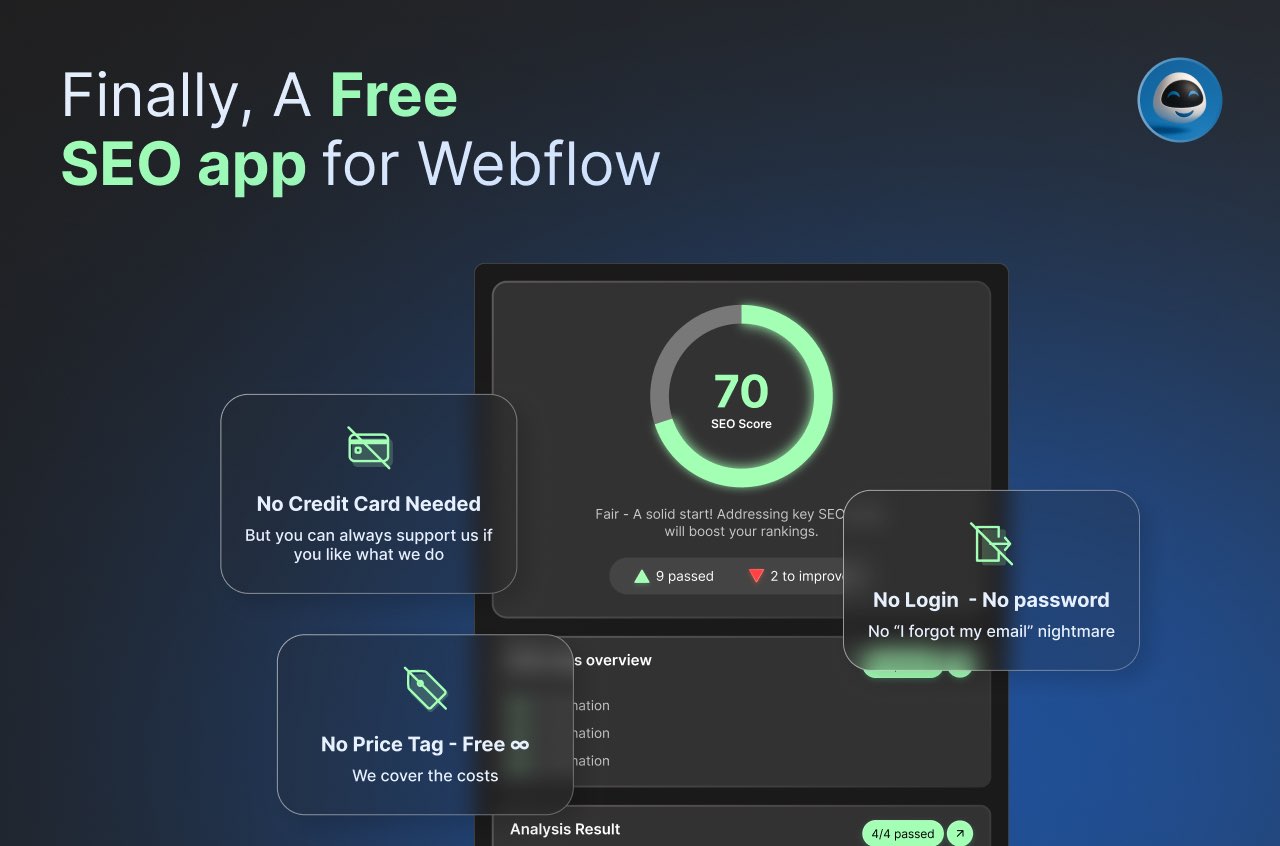
- AI SEO Copilot — A free Webflow app with 15,000+ installs that works like Yoast for Webflow. It scores your pages, analyzes keywords, and gives you actionable SEO suggestions right inside the Designer. Install it from the Webflow App Marketplace.
Phase 1: Technical SEO Basics
Technical SEO makes sure search engines can actually access and understand your site. Don't worry — on Webflow, most of this is handled automatically. Here's what to check:
Make Sure Google Can Find Your Pages
- SSL/HTTPS — Your site should show a padlock icon in the browser. Webflow enables this automatically. If you see "Not Secure," check your SSL settings in your hosting panel.
- XML Sitemap — This is a file that lists all your pages so Google knows what to crawl. Webflow generates one automatically at
yoursite.com/sitemap.xml. Submit it to Google Search Console so Google discovers your pages faster. - Robots.txt — This file tells search engines which pages to crawl and which to skip. Webflow creates a default one, but check that you're not accidentally blocking important pages.
Make Your Site Fast
Google rewards fast-loading sites. Here's what matters:
- Compress your images — Large images are the #1 cause of slow sites. Use WebP format and keep file sizes under 200KB. Webflow's built-in responsive images help, but always optimize before uploading.
- Core Web Vitals — These are Google's speed metrics. The three that matter: LCP (how fast your main content loads — aim for under 2.5 seconds), INP (how fast your site responds to clicks — aim for under 200ms), and CLS (how much your layout shifts while loading — aim for under 0.1). Check yours at PageSpeed Insights.
- Minimize custom code — Every script you add slows your site. Only add what you truly need.
Make Your Site Mobile-Friendly
More than half of all web traffic comes from phones. Google uses mobile-first indexing, meaning it judges your site based on the mobile version. In Webflow, always preview and adjust your design at every breakpoint (tablet, mobile landscape, mobile portrait).
For a deeper dive into technical SEO on Webflow, read our complete Webflow Technical SEO Guide.
Phase 2: On-Page SEO (The Biggest Wins)
On-page SEO is where beginners get the most impact. It means optimizing the elements on each page that Google reads to understand what your content is about.
Write Great Title Tags
The title tag is the blue clickable headline in Google search results. It's the single most important on-page SEO element.
- Keep it under 60 characters so it doesn't get cut off
- Include your main keyword near the beginning
- Make it compelling — people need a reason to click
- Every page should have a unique title
Example: Instead of "Home - My Company", write "Affordable Web Design for Small Businesses | My Company"
Write Compelling Meta Descriptions
The meta description is the short text below the title in search results. It doesn't directly affect rankings, but a good one increases your click-through rate.
- Keep it under 155 characters
- Include your target keyword naturally
- Add a clear call-to-action ("Learn how", "Discover", "Get started")
- Describe what the reader will get from the page
Structure Your Headings Properly
Headings (H1, H2, H3) help Google understand the structure of your content — like a table of contents.
- Use exactly one H1 per page (your main title)
- Use H2s for main sections
- Use H3s for subsections within an H2
- Include keywords in headings naturally — don't stuff them
Optimize Your Images
Google can't "see" images — it reads the text you attach to them.
- Alt text — Describe what the image shows in plain language. Good: "woman using laptop at coffee shop". Bad: "IMG_3847" or "image"
- File names — Rename files before uploading. Use dashes:
seo-checklist-for-beginners.webp - File size — Compress images before uploading. Use tools like TinyPNG or Squoosh
Use Internal Links
Internal links connect your pages together, helping Google discover all your content and understand which pages are most important.
- Link to related articles and pages naturally within your content
- Use descriptive anchor text (the clickable words) — "read our technical SEO guide" is better than "click here"
- Aim for 2-5 internal links per 1,000 words
Phase 3: Keyword Research Made Simple
Keywords are the words and phrases people type into Google. Your job is to figure out what your audience searches for and create content that matches.
How to Find Keywords as a Beginner
- Brainstorm — List 10-20 topics your audience cares about
- Use Google — Type your topic into Google and look at the autocomplete suggestions and "People Also Ask" boxes
- Check Google Search Console — If your site is already live, GSC shows you the actual keywords people use to find you
- Use free tools — AI SEO Copilot helps you analyze keyword usage directly inside Webflow
For a complete walkthrough, read our guide on how to find keywords for your startup.
Understand Search Intent
Not all searches are the same. Google tries to match results to what the person actually wants:
- Informational — "what is SEO" → They want to learn. Write educational content.
- Navigational — "Webflow login" → They want a specific page. Make sure your brand pages are findable.
- Transactional — "buy SEO tool" → They want to purchase. Create product or service pages.
Before writing any page, Google your target keyword and see what type of content ranks. Match that format.
Phase 4: Content Strategy for Beginners
Content is what Google actually ranks. Without helpful, relevant content, no amount of technical optimization will get you to page one.
Create Helpful Content
Google's #1 guideline is simple: create content that helps people. Ask yourself:
- Does this answer a real question my audience has?
- Would I trust this content if I found it on another site?
- Does it offer something the existing results don't?
Show Your E-E-A-T
Google evaluates content quality using E-E-A-T: Experience, Expertise, Authoritativeness, and Trustworthiness.
- Experience — Share first-hand knowledge. "We tested 10 SEO tools" is stronger than "here are 10 SEO tools"
- Expertise — Show you know the topic. Include author bios with credentials
- Authoritativeness — Earn backlinks and mentions from other trusted sites
- Trustworthiness — Use HTTPS, have clear contact info, cite your sources
Keep Content Fresh
Search engines prefer up-to-date content. Set a reminder to review your top pages every quarter. Update outdated statistics, add new information, and refresh the year in your titles.
Phase 5: Off-Page SEO & Next Steps
Off-page SEO is everything that happens outside your website that affects your rankings. For beginners, focus on these high-impact actions:
Get Your First Backlinks
Backlinks are links from other websites to yours. They act as "votes of confidence" that tell Google your content is valuable.
- Create link-worthy content — Original research, comprehensive guides, and free tools naturally attract links
- Guest posting — Write articles for other sites in your niche with a link back to yours
- Business directories — List your business on Google Business Profile, Yelp, and industry-specific directories
Set Up Google Business Profile
If you have a local business, Google Business Profile is essential. It's free and helps you appear in local search results and Google Maps.
Monitor Your Progress
SEO without measurement is guesswork. Check these monthly:
- Google Search Console — Track impressions, clicks, and average position
- Google Analytics — Monitor organic traffic trends
- Webflow SEO tools — Use AI SEO Copilot for ongoing page-level audits
Your 9-Step SEO Implementation Roadmap
If you're feeling overwhelmed, follow these steps in order:
- Set up GSC and GA4 — Your measurement foundation
- Install AI SEO Copilot — Free SEO guidance inside Webflow
- Fix technical basics — SSL, sitemap, mobile responsiveness
- Optimize your homepage — Title, meta description, headings, images
- Do basic keyword research — Google autocomplete + GSC data
- Optimize your top 5 pages — Apply the on-page checklist above
- Create 1 piece of helpful content per week — Blog posts, guides, FAQs
- Add internal links — Connect your pages together
- Review monthly — Check GSC, fix errors, update old content
Remember: SEO is a marathon, not a sprint. The sites that rank highest are the ones that consistently apply these fundamentals over months and years. Start with this checklist, track your progress, and build from there.
Download the Webflow SEO Checklist for free
FAQs
Find answers to your most pressing questions about our AI SEO Copilot services.
SEO (Search Engine Optimization) is the practice of improving your website so it appears higher in Google search results. It matters because higher rankings mean more organic traffic — visitors who find you through search without paid ads.
Most beginners see initial improvements within 4 to 8 weeks, but meaningful ranking changes typically take 3 to 6 months. SEO is a long-term investment — consistency matters more than speed.
Start with on-page SEO basics: write clear title tags, unique meta descriptions, and create helpful content that answers what your audience is searching for. These fundamentals have the biggest impact for new sites.
Webflow has solid built-in SEO features, but a free app like AI SEO Copilot adds keyword scoring, content analysis, and on-page audits that help beginners optimize pages without guessing. It's the Yoast alternative for Webflow.
Review your SEO monthly and do a full audit every quarter. Update existing content when it becomes outdated, monitor Google Search Console weekly for errors, and refresh your keyword strategy every 6 months.
Still have question? let us know.
Download the Webflow SEO Checklist for free
Relateed
Discover more about AI and SEO strategies.